
Nonprofit Data Migration: Steps for a Smooth CRM Transition
Data migration can appear straightforward: move data from one system to another. In practice, it is far more complex.
Data must have a clear destination and sufficient context to remain useful, making careful planning essential. This process, typically called “conversion,” is distinct from “implementation,” which involves deciding how the new system will be used and configured. Yet conversion depends heavily on those implementation decisions; if they are incomplete, the migration is unlikely to succeed.
In this guide, we’ll walk you through the process of nonprofit data migration by covering these topics:
- Nonprofit Data Migration FAQ
- Steps of the Nonprofit Data Migration Process
- Nonprofit Data Migration Example: Tomorrow’s Women
- Additional Resources on Nonprofit Data Migration
Let’s get started by answering some common questions about nonprofit data migration.
Nonprofit Data Migration FAQ
What Is Nonprofit Data Migration?
Nonprofit data migration is the process of transferring information, such as donor, volunteer, program, fundraising, and financial records, from one system to another while preserving its accuracy and structure. It most often occurs when a nonprofit moves from one CRM to another, but it may also be needed when replacing accounting, grant management, email marketing, event, or volunteer platforms, or when consolidating data from spreadsheets and multiple systems into one solution.
Why Is Planning Out Your Nonprofit Data Migration Important?
Nonprofit data migration matters because the quality and security of your data directly affect how effectively your organization can operate and advance its mission. A well-planned migration maintains data accuracy, consolidates information into a more useful "source of truth", and protects sensitive details from your community and constituents. Together, these improvements enable better decision-making and clearer reporting because you have confidence in your data.
How Long Do Data Migration Projects Usually Take?
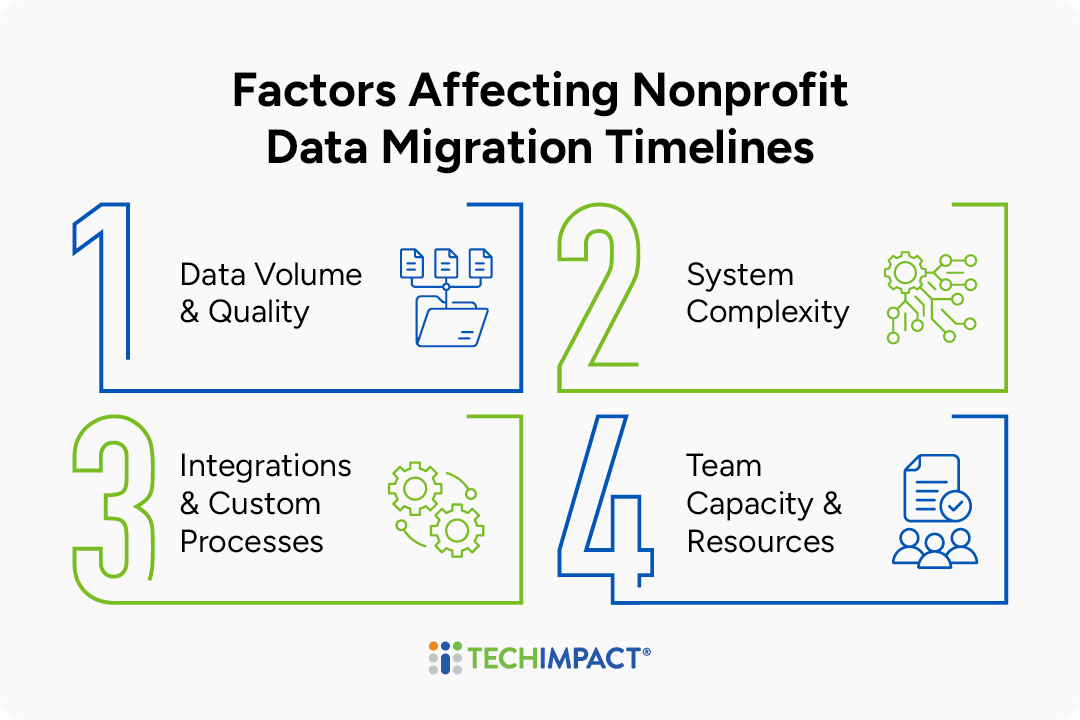
Data migration can take anywhere from a few weeks to several months, depending on factors like:
- Amount and quality of the data
- Complexity of the new system
- Number of integrations or custom processes involved
- Staff capacity and resources, or whether external support (consultants) are utilized.
Straightforward migrations may be completed in four to six weeks, while larger or more complex projects often take three to six months. Building in time for data cleanup, field mapping, testing, staff review, and post-launch validation can help prevent errors and delays.
Steps of the Nonprofit Data Migration Process
A successful CRM migration depends on careful planning, clean data, and clear ownership throughout the process. The following steps can help your nonprofit move to a new system while reducing disruption and building a reliable foundation for long-term use.
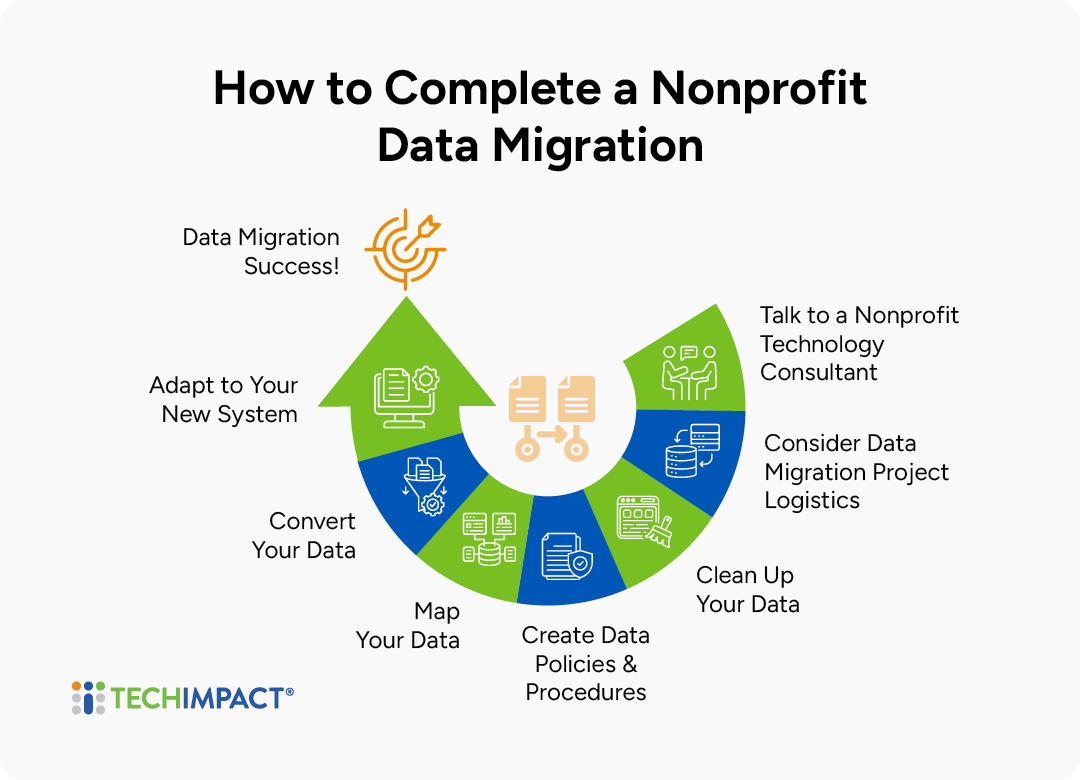
1. Talk to a Nonprofit Technology Consultant
If you are uncertain about the support your vendor will provide, consider hiring a consultant. Even when a vendor offers substantial guidance, an independent expert can help ensure the new system meets your organization’s needs. Although consulting can be costly, the right advisor can prevent mistakes, improve implementation and conversion, and save money over time.
Look for three core capabilities:
- Knowledge of your current system: The consultant should understand its structure, logic, and the ways your organization has customized it.
- Expertise in the new system: Deep familiarity with the platform is essential for designing an effective setup and producing a clean, manageable conversion.
- Technical data skills: Migrating complex records, such as pledges and payments, requires more than a simple import and may call for a separate technical specialist.
The consultant should also have significant nonprofit experience and understand the sector’s terminology and operational needs. Ask about previous migrations, nonprofit expertise, and working style to determine whether the relationship will be a good fit.
2. Consider Data Migration Project Logistics
A successful CRM migration requires more than choosing the right system. Before work begins, align the people, resources, timing, and support needed to move data accurately, minimize disruption, and help staff adopt the new platform. Use the following logistics as the foundation for your migration plan:
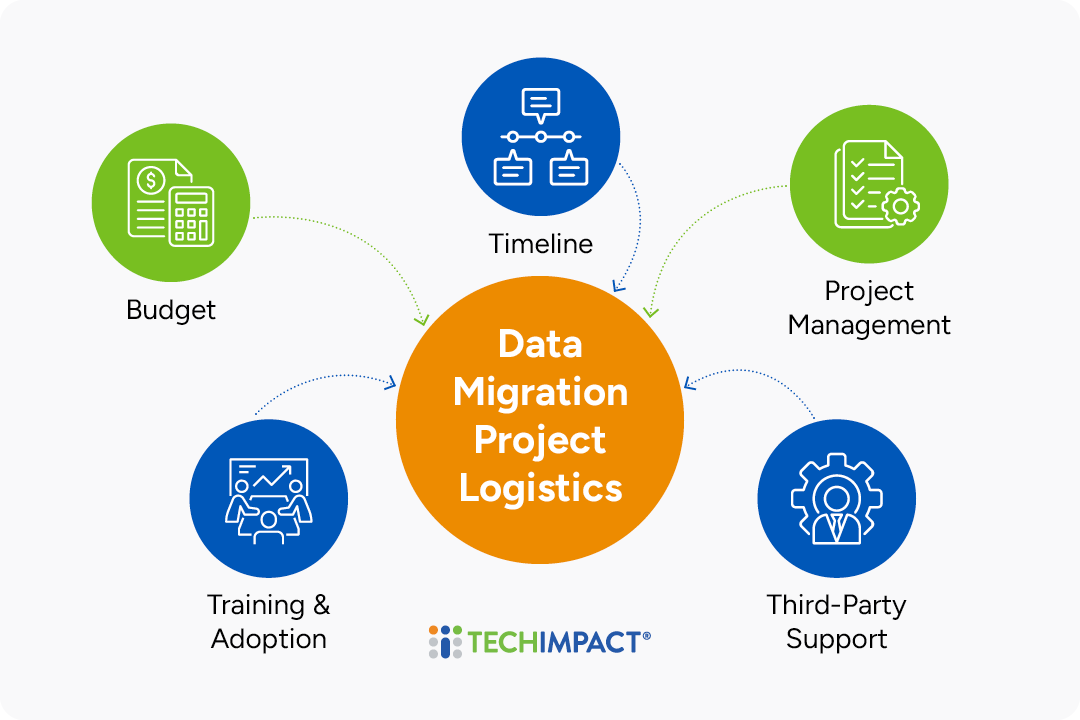
- Budget: Account for the full cost of migration, not only software and consulting fees, but also data cleanup, configuration, integrations, testing, training, and contingency funds for unexpected work.
- Timeline: Build a realistic schedule for preparation, test migrations, validation, and final cutover. Choose a go-live period that avoids peak program, fundraising, or reporting activity and allows time to resolve issues.
- Project Management and Responsibilities: Designate an internal project manager and clearly assign ownership for decisions, data preparation, budget tracking, testing, communications, and final data validation. Include staff who understand both the current system and day-to-day workflows.
- CRM Vendor and Consultant Support: Confirm exactly what the vendor will handle, including data mapping, cleanup, configuration, testing, troubleshooting, and strategic guidance. Identify any gaps that require internal resources or outside consulting support, and ask for references from organizations that completed a similar migration.
- Post-Migration Training and Adoption: Plan role-based training before and after launch so staff can enter, retrieve, and report on data correctly. Allow for refresher sessions, documentation, and ongoing support as users adjust to new processes and the system stabilizes.
3. Clean Up Your Data
A migration is an opportunity to improve the quality of your CRM, and not just carry every old problem into the new system. Start with a backup, define the rules you will use, and assign staff who understand the records to review exceptions. Then work through the following areas:
Steps to Clean Up Your Nonprofit's Data Pre-Migration
Progress
0 of 8 Completed
Need help with data cleanup or other migration tasks?
- Decide what should migrate. Identify the record types, date ranges, and activity history the organization still needs. Archive or exclude obsolete test records, spam, former vendors, outdated campaigns, unused attachments, and old contacts that no longer meet an agreed retention or engagement rule. Preserve records required for reporting, audit, legal, or operational purposes.
- Find and merge duplicates. Look for contacts, households, organizations, donations, opportunities, or activities that may have been created more than once. Match on combinations such as name, email, mailing address, phone number, organization, or legacy ID; establish which record is authoritative before merging so that current contact details, giving history, notes, and permissions are not overwritten.
- Correct inaccurate and incomplete records. Review missing or obviously invalid values in fields that drive daily work and reporting, such as names, email addresses, mailing addresses, organization names, record owners, constituent type, source, campaign, donation amount, date, fund, and payment status. Fix bounced or malformed email addresses, incomplete addresses, placeholder values, impossible dates, and records assigned to former staff.
- Standardize formats and categories. Choose one convention for capitalization, abbreviations, phone numbers, state and country names, dates, salutations, and organization names. Consolidate inconsistent dropdown values—for example, “Board Member,” “board,” and “Bd. Member”—into a single approved category so filters and reports produce reliable results.
- Repair record relationships. Confirm that people are connected to the correct household or organization and that gifts, grants, event attendance, cases, notes, and activities are attached to the right constituent. Resolve orphaned records and decide how household-based records will translate if the new CRM is organized around individuals.
- Protect consent and preferences. Retain do-not-email, do-not-call, unsubscribe, communication preference, consent source and date, and other suppression or privacy indicators. Do not “clean” these values away; verify that they map correctly to the new system.
- Review fields and definitions. Inventory custom fields and decide whether each will be migrated, combined, transformed, archived, or retired. Document what important fields mean, who owns them, which values are allowed, and what should happen when two sources conflict.
- Validate before the full migration. Run a sample conversion and compare totals, key field values, relationships, consent settings, and representative reports between the old and new systems. Have staff who know the data review exceptions and sign off on the results before final cutover.
Your migration consultant may be able to automate tasks such as capitalization changes, find-and-replace updates, or duplicate detection. Even so, your organization must define the business rules and approve ambiguous decisions; technology can identify possible issues, but it cannot determine which information is correct or worth keeping.
To help your vendor better understand your needs, you should provide sample data for the vendor to review. An expert in your new system will then be able to point out potential problems and help you think through how to fix them before you begin conversion.
4. Create Data Policies & Procedures
If they do not already exist, use the time before your migration to establish written policies and procedures for data entry and system use. Clear documentation helps keep data accurate, accessible, consistent, and protected. Focus on three areas:
- Data entry processes: Document how staff should create and update records, including required fields, naming and formatting standards, duplicate checks, source tracking, and responsibility for correcting errors.
- Data output processes: Explain how staff should search, segment, export, report on, and share data, including any approval steps, privacy safeguards, and standards for recurring reports.
- Notes on how your database has been set up: Record the purpose and use of key fields, customizations, record types, relationships, integrations, automations, permissions, and other configuration decisions so future users understand how and why the system works as it does.
If you are starting from scratch, document the essentials first and expand the guidance as new questions or issues arise. Treat these policies as living resources: review and update them regularly rather than writing them once and forgetting them.
5. Map Your Data
Data mapping defines where information from your current system will live in the new CRM and whether it should transfer directly, be transformed, combined, split, or excluded. Create a worksheet listing each source field, destination field, conversion rule, and exception.
- Match equivalent fields: Map “Email Address” to “Primary Email” or “Constituent ID” to “Legacy ID.”
- Split, combine, or standardize data: Divide “Full Name” into first and last name, combine address fields, or convert “Bd. Member” and “board” to one approved value.
- Translate record structures and relationships: Decide how households, contacts, donations, pledges, events, and notes will be represented and linked in the new CRM.
- Retire or create fields: Exclude obsolete fields and determine whether important unmatched data needs a custom field, another existing category, or external archive.
- Support reporting: Ensure information needed for reports—such as donation date, amount, campaign, fund, and donor—is stored in structured, reportable fields.
Document an example source value and expected result for each decision, then test a representative sample. Compare record counts, totals, relationships, and key reports before approving the full migration. If historical data will remain in the legacy system, document how staff will access it.
6. Convert Your Data
A successful conversion is an iterative process of testing the data, correcting issues, and completing the final transfer once the results are reliable.
Test: Run a trial conversion and have staff compare representative records, fields, totals, and relationships against the old system while continuing to use it as usual.
Adjust: Work with your vendor or consultant to identify patterns in any errors, refine the conversion rules, and repeat testing until the results meet your agreed standards.
Finalize: Once the trial is approved, stop entering data in the old system and submit the final extract for conversion. Use the downtime for staff training and final preparation, and track any new information separately so it can be entered after launch.: Run a trial conversion and have staff compare representative records, fields, totals, and relationships against the old system while continuing to use it as usual.
7. Adapt To Your New System
Before fully launching the new system, complete any remaining data cleanup and use its reporting tools to identify errors as staff adjust. Review security settings and permissions to ensure each user has appropriate access. Finally, assign a system owner, such as the implementation lead, an IT professional, or a dedicated administrator, to monitor and maintain the CRM over time.
Nonprofit Data Migration Example: Tomorrow’s Women
When Tomorrow’s Women moved from an old CRM to Salesforce, it needed more than a basic donor-data transfer. The organization also had to migrate loosely structured program information from inconsistent spreadsheets and configure Salesforce around its growing needs. Differing naming and date conventions across an international staff made the cleanup more complex and underscored the need for stronger data standards.
Tomorrow’s Women partnered with Tech Impact to clean and map the data, customize Salesforce, and manage the migration. Tech Impact guided staff through the work while strategizing with a key internal project lead at Tomorrow’s Women. Together, they established clearer conventions and created practical how-to resources so staff could confidently maintain the system after implementation.
The result was a successful migration, a CRM better aligned with donor and program operations, and a team better prepared to protect data quality over time. Working with Tech Impact also gave Tomorrow’s Women a partner that understood nonprofit constraints and priorities. As a nonprofit itself, Tech Impact pairs technical expertise with sector knowledge, practical training, and cost-conscious solutions, helping organizations build sustainable systems without paying for services they do not need.
Wrapping Up: Additional Resources on Nonprofit Data Migration
Regardless of the system you’re seeking or the cost, thorough planning, expert support from a consultant and your vendor, and strong project management will help keep the process running smoothly and efficiently.
For more information on nonprofit data management, check out these resources:
- The Future of Technology System Selection: Integration, Sustainability, and Community-Driven Decisions
- Strategic vs. Tactical Technology Planning for Nonprofits: The Power of Long-Term Vision
- 10 Warning Signs Your Nonprofit Is About to Hit a Data Wall


All-Access Pass
Technology keeps advancing, which means we all have to keep learning and building our skills. Get more learning with less cost by getting the All-Access Pass, which grants you unlimited access to the Technology Learning Center.