
How to Make Cybersecurity for Nonprofits a Team Priority


How Do You Promote a Shared Sense of Mission Around Security at Your Nonprofit?
Nonprofits that create a strong security culture—one that actively promotes security awareness and a shared sense of mission around security—are much more likely to avoid the most common threats.
As a leader at your nonprofit, you can create the conditions for a work culture that values security and vigilantly protects the organization’s systems and data.
In this guide, you’ll learn all you need to know about cybersecurity for nonprofits, including:
- Cybersecurity for Nonprofits FAQ
- Nonprofit Cybersecurity Best Practices
- How Tech Impact Can Help With Nonprofit Cybersecurity
- Additional Resources on Nonprofit Data Security
Let’s begin by discussing what nonprofit cybersecurity is and why it’s important.
Cybersecurity for Nonprofits FAQ
What Is Cybersecurity for Nonprofits?
Cybersecurity for nonprofits is the set of tools, policies, and practices an organization uses to protect its systems, networks, and sensitive data from unauthorized access. That includes donor records, financial information, and data about the people your programs serve. Strong cybersecurity keeps your nonprofit running smoothly and protects the trust your supporters place in you.
Nonprofits face particular risks because they hold large amounts of valuable donor data, often rely on third-party vendors, and usually have tight budgets and limited IT staff. Cybercriminals have noticed. According to Network Depot, 68% of nonprofits confirmed at least one data breach within the last three years, and more than 70% of nonprofits have not run any vulnerability assessments to understand their risk exposure. With 56% of nonprofits not requiring multi-factor authentication, many organizations leave easy openings for attackers to exploit.
What Cybersecurity Risks Do Nonprofits Most Commonly Face?
Cyber threats come in many forms, and some target the people on your team while others target your systems directly. Knowing the most common risks is the first step toward defending against them. Here are a few that nonprofits should watch for:
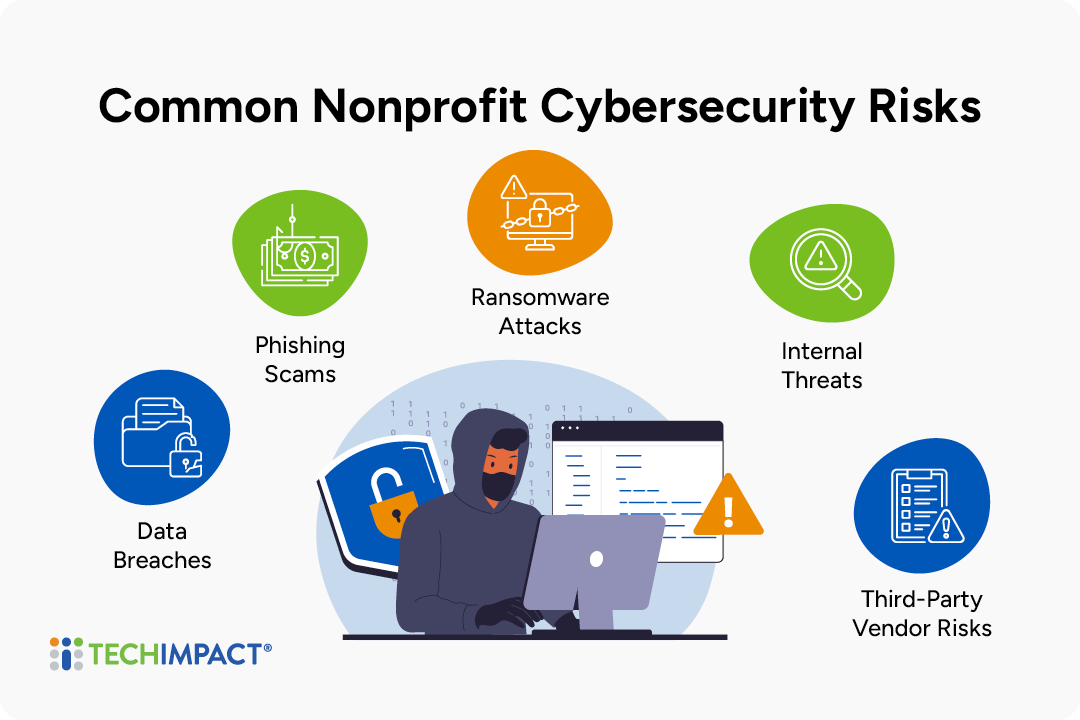
- Data breaches: A data breach happens when someone without permission gets into sensitive information. Breaches can come from hacked systems, lost devices, or misconfigured cloud storage. They can expose the people who trust you with their information.
- Phishing scams: Phishing emails, texts, and calls pretend to come from trusted sources, such as a vendor, a funder, or even your executive director. They try to trick staff into sharing passwords, clicking harmful links, or sending money. Busy teams and volunteers who haven't been trained to spot the warning signs are especially easy targets.
- Ransomware attacks: Ransomware is malicious software that locks or encrypts your files until you pay a ransom. An attack can stop your programs, fundraising, and daily operations for days or weeks. Even if you pay, there's no guarantee you'll get your data back.
- Internal threats: Not every risk comes from outside, and current or former staff, volunteers, and contractors can expose data on purpose or by accident. Common examples are weak passwords, shared logins, and access that was never removed after someone left.
- Third-party vendor risks: Nonprofits often depend on outside platforms for fundraising, CRM, payroll, and email. If one of those vendors has weak security, your data can be exposed through them even when your own systems are secure.
Every nonprofit's risk profile is different. It depends on the data you collect, the tools you use, the size of your team, and how your staff work day to day. Before you invest in new tools or policies, take time to assess your organization's specific vulnerabilities. A formal cybersecurity assessment shows where your biggest gaps are, so you can put your limited time and budget toward the fixes that will make the most difference. With a clear picture of your risks, you can build a plan to reduce them.
Why Is Nonprofit Cybersecurity Important?
Cybersecurity isn't only an IT concern. It affects how well your nonprofit can serve its community, keep its supporters, and stay stable over time. Here are some of the most important reasons:
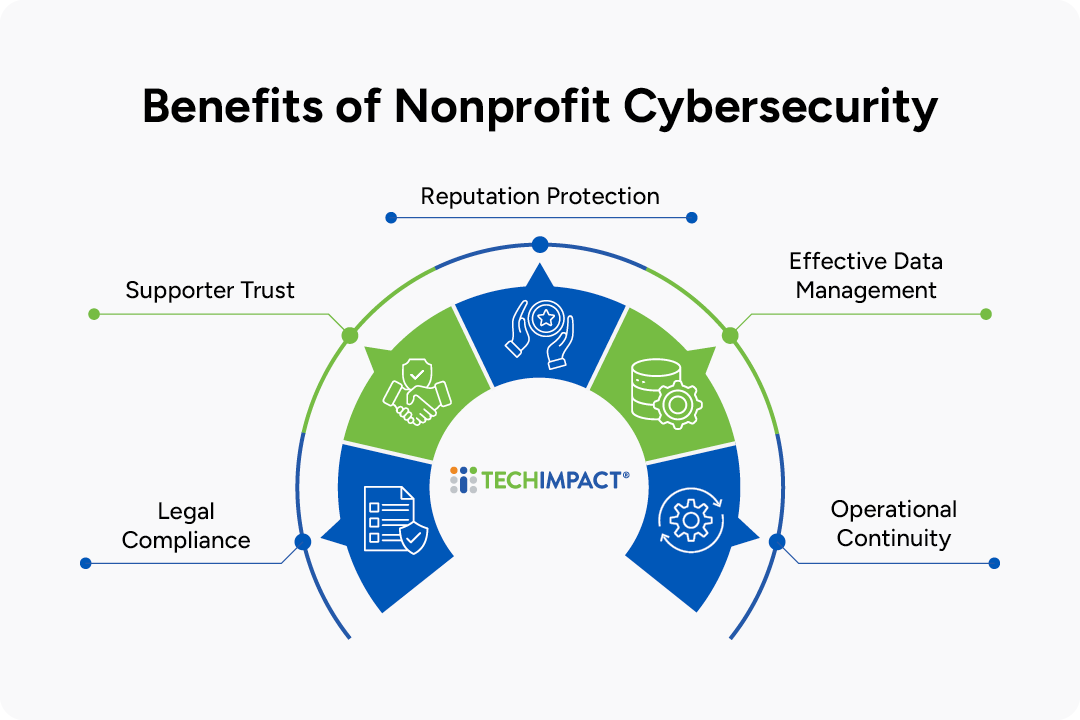
- Preventing legal difficulties: Nonprofits often collect personal, financial, and even health information, and much of that data is covered by privacy laws and regulations. A breach can lead to required notifications, fines, legal claims, and closer scrutiny from funders or regulators. Strong security practices help you meet your compliance obligations and avoid expensive legal trouble.
- Strengthening supporter trust: Donors, volunteers, and program participants trust you with their information. When they see that you take data protection seriously, they're more willing to give, sign up, and stay involved. Good security shows supporters that you respect them as much as their contributions.
- Protecting your nonprofit's reputation: Your reputation is one of your most valuable assets, and a single incident can damage it quickly. News of a breach can discourage donors, worry partners, and pull attention away from your mission. Preventing incidents before they happen helps protect the credibility you've worked hard to build.
- Promoting effective data management: Good cybersecurity encourages better data habits overall. When you know what data you collect, where it's stored, and who can access it, your information becomes more organized, accurate, and useful for fundraising, reporting, and decision-making.
- Ensuring operational continuity: A cyberattack can shut down email, databases, and payment systems, which delays programs and services for the people who depend on you. Strong defenses and backup plans help your team keep working and recover quickly if something goes wrong.
No organization can remove every risk, but you can prepare for the worst before it happens. A clear incident response plan, regular backups, and a team that knows what to do in an emergency will keep your nonprofit strong in any situation. When security is part of how you operate, a single incident is far less likely to knock your organization off course.
Nonprofit Cybersecurity Best Practices
Now that you’ve got the basics down, let’s walk through some cybersecurity best practices to implement at your nonprofit.
Take Advantage of Software Settings
Many of the strongest security protections are already built into the tools your nonprofit uses. You just have to turn them on. Start with these basic measures:
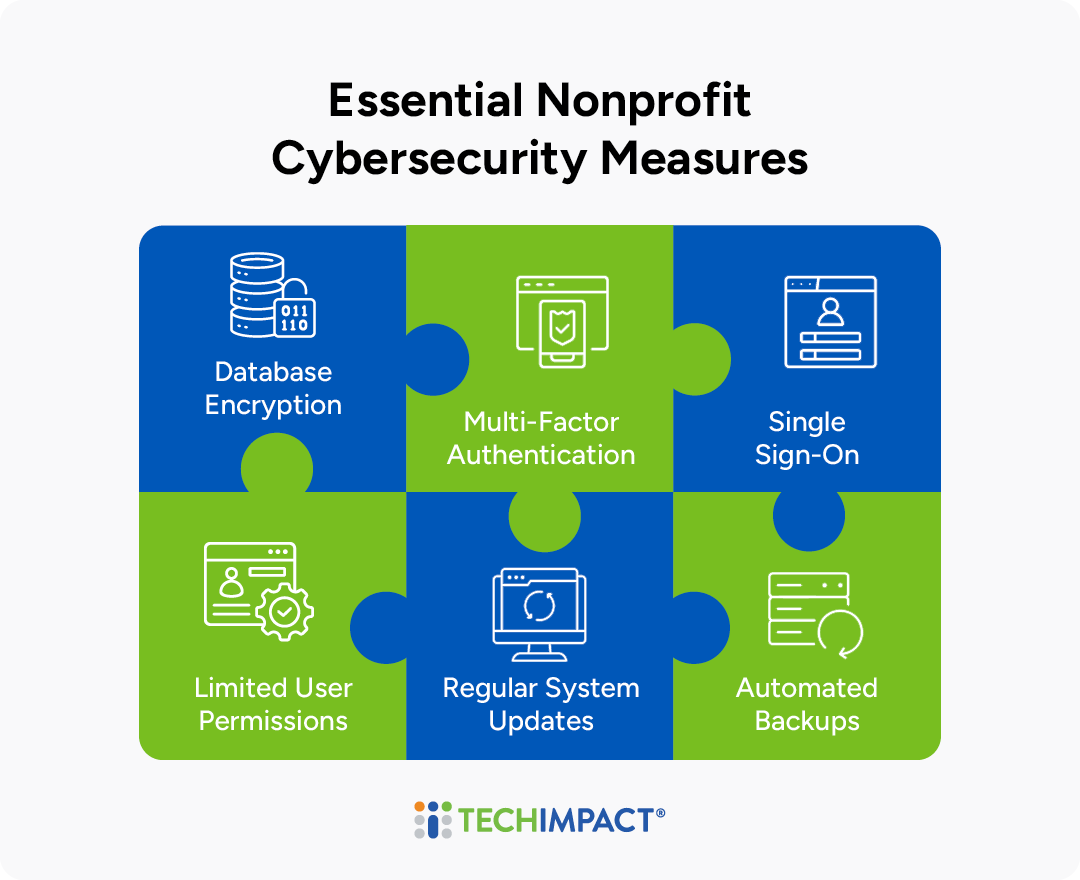
- Database encryption: Encryption scrambles your data so only authorized users can read it. If someone steals or exposes your files, encrypted donor and client records stay unreadable.
- Multi-factor authentication (MFA): MFA asks users for a second form of verification, such as a code sent to their phone, along with their password. That way a stolen password alone isn't enough to break in.
- Single sign-on (SSO): SSO lets staff use one secure login for multiple applications. They have fewer passwords to manage, and IT has one central place to control access.
- Limited user permissions: Give each person access only to the data and systems they need for their role. This limits the damage if an account is compromised and lowers the risk of accidental exposure.
- Regular system updates: Updates often fix security holes that attackers already know about. Turn on automatic updates wherever you can, and patch software promptly.
- Automated backups: Regular, secure backups mean you can restore your data quickly after a ransomware attack, an outage, or an accidental deletion.
When you evaluate new software, check that it includes these protections before you buy. Choosing tools with built-in security from the start saves time and money and lowers your risk later.
Create Data Security Policies
Even the best security tools only work if everyone uses them consistently. Data security policies set clear expectations for how your team handles sensitive information, uses technology, and responds when something goes wrong. They also make it easier to train new staff and volunteers and to show donors, funders, and regulators that you take data protection seriously. Strong policies typically cover:
- Acceptable Use: How staff and volunteers may use organizational devices, accounts, email, and software, including rules for personal devices and public Wi-Fi.
- Password and Access Management: Requirements for strong passwords, two-factor authentication, and role-based access, plus steps for granting and removing access when people join or leave.
Data handling and classification: Which information is sensitive, where it can be stored, how it should be shared, and how long it should be kept. - Vendor Management: How you evaluate and monitor the security practices of third-party platforms that store or process your data.
- Incident Response: How to report a suspected breach or phishing attempt, who is responsible for each step, and how you'll communicate with affected stakeholders.
- Backup and Recovery: How often data is backed up, where backups are stored, and how you'll restore systems after an outage or attack.
Review your policies at least once a year and whenever you adopt new tools, so they stay current. Involve staff in writing and updating them. You can lead discussions at staff meetings, interview the main users of key tools, or hold review sessions. Staff input helps you write policies that reflect how work actually gets done. It also helps your team understand why each practice matters and feel more responsible for following it.
Test Team Responses to Security Risks
Training only works if it sticks, and the best way to find out is to test it. A simple multiple-choice quiz can show whether staff understand key concepts, and some nonprofits go further by sending fake threats to see how alert their team really is. Several security education tools, like KnowBe4, make it easy to set up simulated phishing emails that give recipients instant feedback. Staff who delete the email might see a "Congratulations" message, while those who click a link are directed to a page explaining how to spot phishing and what to do with suspicious messages.
Your IT team should be tested too. Run drills based on realistic scenarios, such as a ransomware attack, and watch your IT staff work through the steps of cleaning up machines and restoring data. Periodically practice other scenarios, such as fire damage, a data breach, or malicious activity by a staff member, so you can be confident your team will respond quickly and effectively during a real incident.
Integrate Cybersecurity Into Daily Nonprofit Operations
Security works best when it's part of everyday work rather than a once-a-year training. Here are a few ways to keep cybersecurity top of mind and show your team that it matters:
- Make security a regular meeting topic: You don't need to discuss security at every staff meeting, but a monthly refresher keeps concepts fresh and gives staff a chance to ask questions or share input.
- Run a security awareness campaign: Schedule regular communications, such as helpful tips or recent news stories about data breaches, to keep security visible between meetings.
- Create a space for ongoing discussion: If your team uses a platform like Slack or Microsoft Teams, set up a dedicated channel where staff can share questions, flag suspicious messages, and trade tips.
- Offer incentives: Small rewards, such as prizes for answering quiz questions correctly or attending a security session, encourage people to pay attention and take part.
- Include security in performance reviews: Adding cybersecurity to reviews shows that you value staff who take it seriously. Use quiz results as a starting point for a conversation, and consider training participation and security habits when you evaluate growth and advancement.
Whichever methods you choose, the most important thing is showing staff that you value their input and want to work with them toward shared goals. When you listen to the people who use your technology every day, you'll learn a lot about how work really gets done at your nonprofit, and your team will feel just as invested in the organization's security as you are. To get an idea of where your organization currently stands with its cybersecurity practices, take the quick quiz below!
QUIZ: How Strong Are Your Nonprofit's Cybersecurity Measures?
Read each statement and choose Yes or No based on whether it describes your organization's current approach to security.
Looking for a cybersecurity partner that specializes in nonprofit technology?
How Tech Impact Can Help With Nonprofit Cybersecurity
Building a strong security culture is easier with an experienced partner on your side. Tech Impact helps nonprofits identify risks to their data, reduce potential losses, and take a proactive approach to security. Rather than simply turning on features, we focus on building a security approach your team can actually follow, with settings, policies, and workflows that fit your daily operations. Our customizable cybersecurity services include:
Security Risk Assessments: A comprehensive review of your threat landscape, vulnerabilities, and critical assets, with clear recommendations and follow-up support.
Proactive Cybersecurity Management: Expert support implementing data protection and data loss prevention, identity and device management, sensitive document management and more.
Simulated Phishing and Staff Training: Realistic practice attacks and training, including discounted access to tools like KnowBe4.
Advisory Services: Ongoing expert guidance for projects like cybersecurity insurance questionnaires, risk evaluations, and incident response.
Cybersecurity is just one part of how we support nonprofits. Tech Impact also offers full-service managed IT, which supports more than 400 nonprofits every day, along with Microsoft 365 cloud services, data consulting and AI implementation, strategic technology planning and assessments, and website, branding, and digital strategy services.
As a nonprofit ourselves, Tech Impact understands that strong compliance programs must also be practical for lean teams and limited budgets. Our guidance is designed to help organizations strengthen data governance in a way that is manageable, cost-conscious, and aligned with the communities, programs, and missions they support.
Additional Resources on Nonprofit Data Security
For more information on nonprofit technology, check out these resources:
- Automation for Nonprofits: What It Is, How Does It Work, and How It Can Help Me?
- Microsoft Intune for Nonprofits
- Nonprofit's Guide to Data Migration

All-Access Pass
Technology keeps advancing, which means we all have to keep learning and building our skills. Get more learning with less cost by getting the All-Access Pass, which grants you unlimited access to the Technology Learning Center.